
May 5, 2026
Automated Steps For VCF Host Provisioning
What Are We Solving Here?
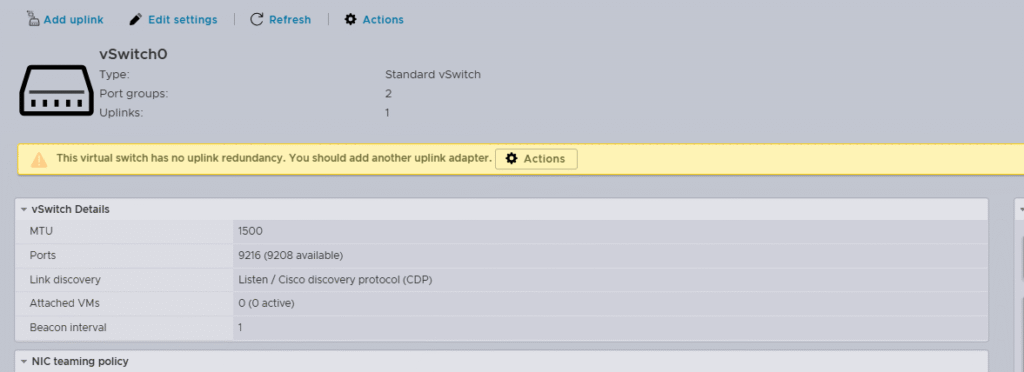
As you can see here, standard vSwitch MTU is set to 1500, this is problematic for me. My NFS setup uses jumbo frames, you can read more on the issues I faced here https://www.lab2prod.com.au/2025/10/vcf9-nfs-fails-deployment.html.
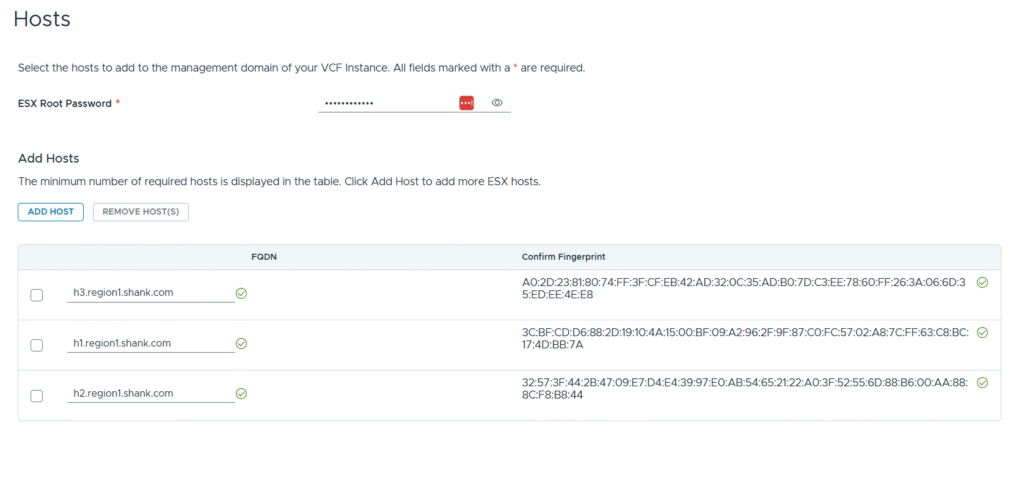
VCF Installer is happy — all three hosts pass fingerprint validation and are ready to commission.
I wanted to take the repetitive manual steps out of the VCF host preparation process. Whether you are rebuilding a lab environment for the tenth time or prepping hosts on a customer POC site, the time adds up fast. This script won’t cover every step — basic IP and DNS record configuration still needs to happen first — but everything from that point through to a commission-ready host is handled automatically.
Related
Run Through Of Manual Config
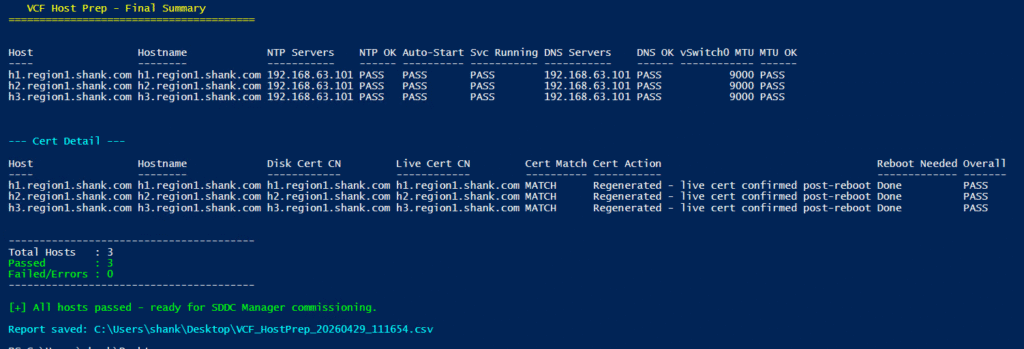
The script checks and installs its own prerequisites — PowerCLI and Posh-SSH — so there is nothing to set up beyond PowerShell itself. You provide your host FQDNs, root credentials, and your expected NTP and DNS servers. From there it works through each host sequentially: configures NTP, sets DNS, updates the vSwitch0 MTU to 9000, then checks the host certificate CN against the configured hostname. If they don’t match it regenerates the certificate automatically. Once all hosts are configured, any that needed a cert regeneration are rebooted simultaneously in parallel — so you’re not waiting on them one at a time. After they come back online the script SSH’s in and verifies the live certificate on port 443 is correct before marking the host as passed.
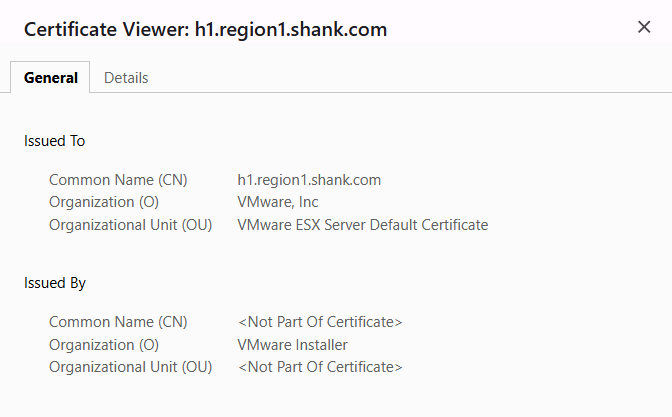
Certificate CN now matches the configured hostname — exactly what VCF needs to see.
As a result, the typical rebuild sequence goes like this: wipe, configure IP and hostname, regenerate the host certificate, set NTP and DNS, and in my case update the vSwitch MTU for NFS jumbo frames. Having to repeat this across multiple hosts — not just in my home lab but on customer POC sites — becomes genuinely tedious.
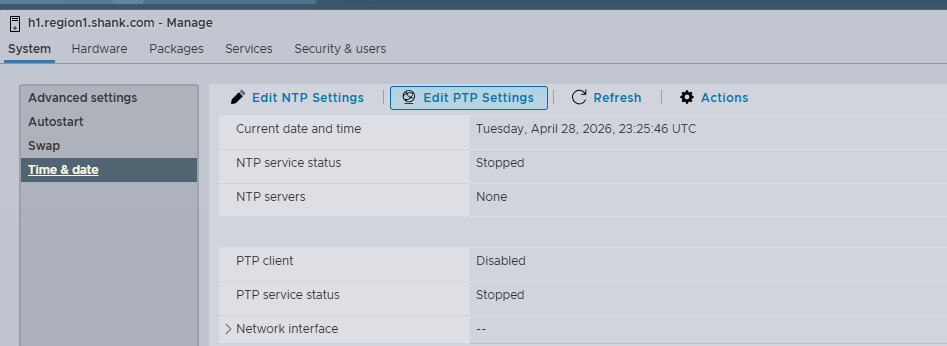
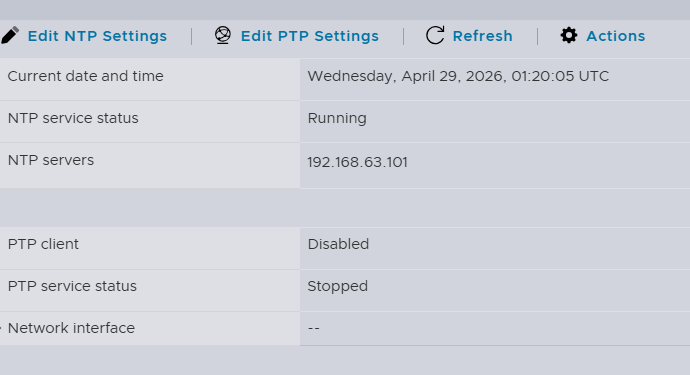
NTP is not configured and disabled by default.
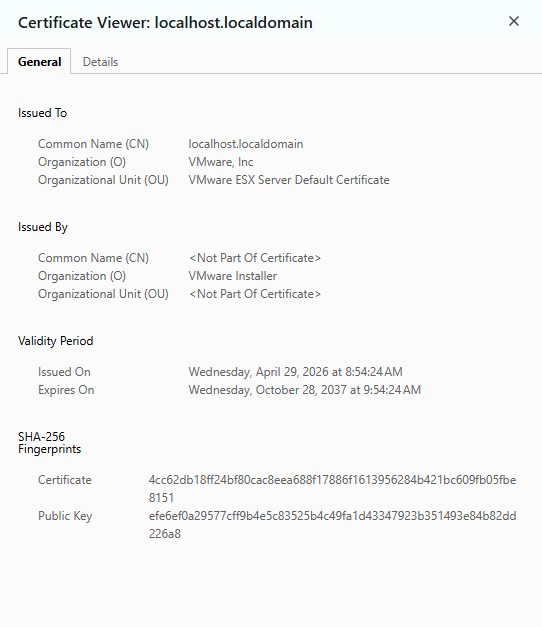
Without regenerating the host certificate the CN remains localhost.localdomain, as a result VCF installer fails verification, especially if you enter host details using the configured FQDN of the host.
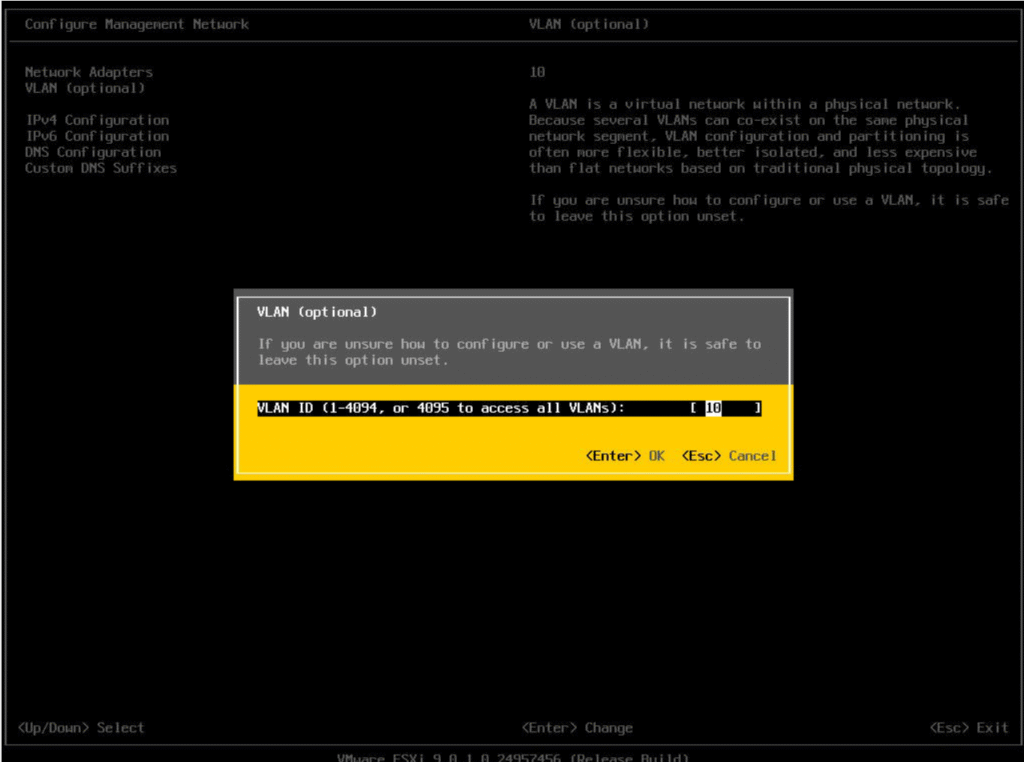
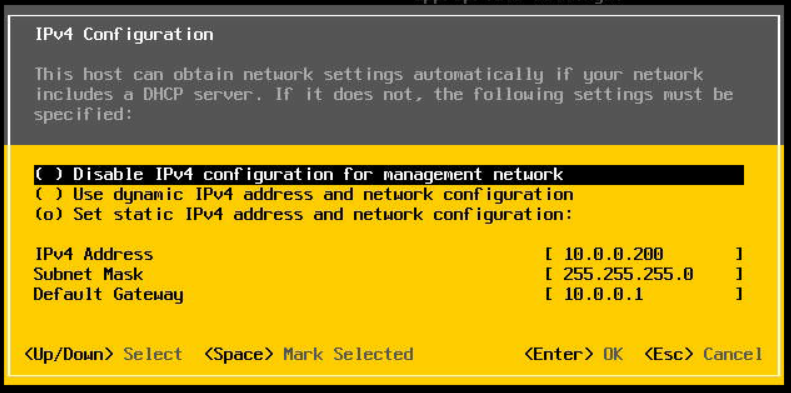
First step of host provisioning is to configure the management interface (vmk0). Set your VLAN if you are using one and the IP address.
My goal with this script is to streamline that entire process down to a few inputs. Point it at your hosts, walk away, and come back to a full verification summary showing exactly what was configured and confirmed on each node. It does not cover basic IPv4 or DNS record configuration, but that may come in a future release.
Automating VCF Host Preparation
Script is available here: https://github.com/shanknik/vcfjsons/tree/main/vcf9-host-prep
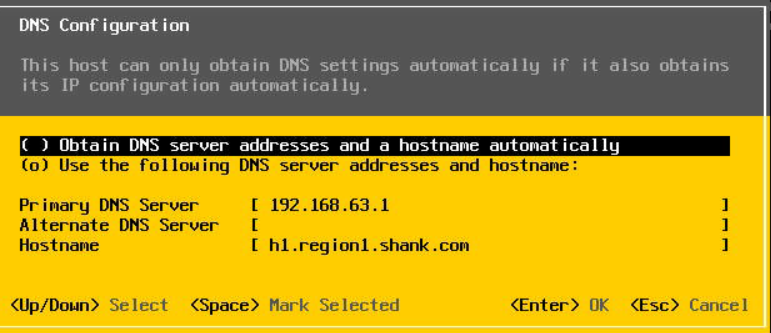
Next, DNS server and hostname configuration. This is important, as the host certificate that gets generated and subsequently verified by VCF installer is generated off the details entered in the following section.
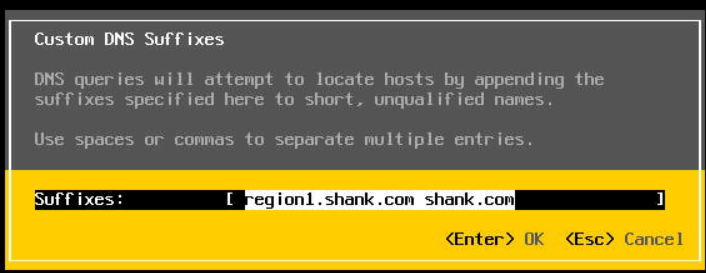
DNS search path configuration
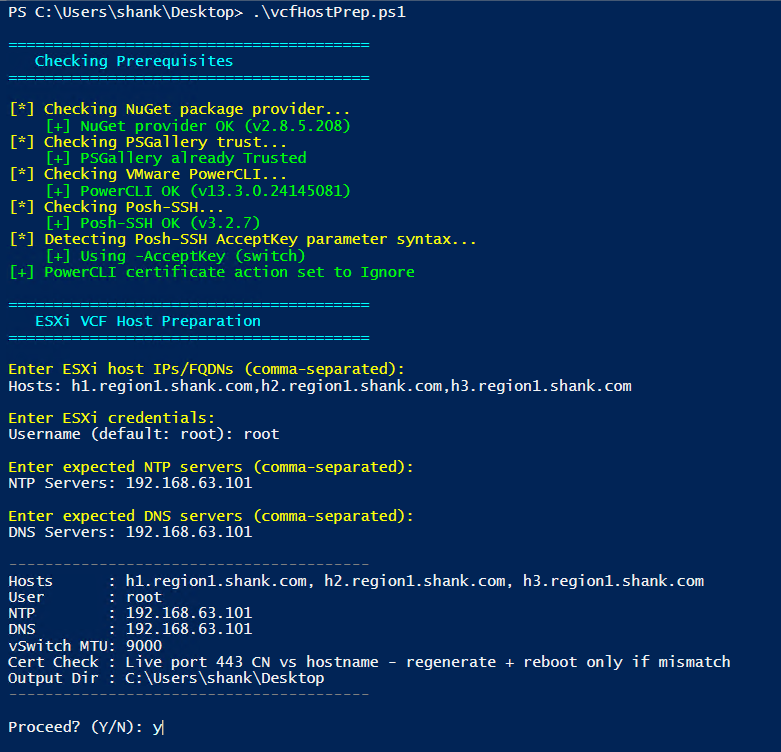
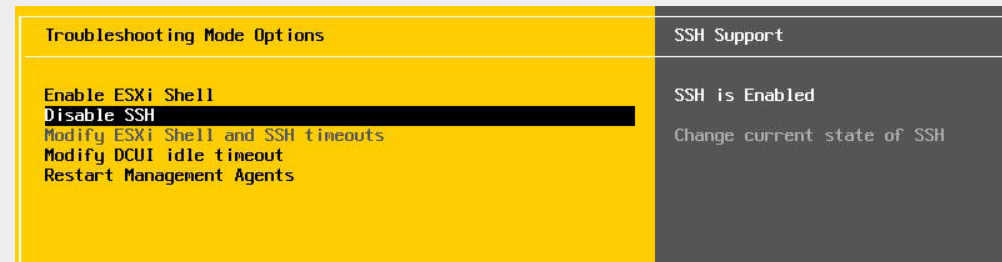
Finally, SSH is required for the script to work.
The full verification summary is printed at the end showing pass or fail per host across every check, and a CSV is saved to your desktop
Summary
As you can see, having to resolve the above for multiple hosts each time is extremely tiresome. I put this together with a bit of help from Claude — having worked through the host preparation process enough times to know exactly what needed automating, the script came together quickly.
The script is available on GitHub at the link at the top of this post. If you run into issues or want to suggest improvements, drop a comment below or raise an issue on the repo.
Ever since I started investing serious time into VMware Cloud Foundation, I have found myself constantly rebuilding hosts. Not a fault of VCF itself, but simply my curiosity to break things and understand how they work.
![The Ultimate Ecommerce Holiday Planning Checklist [2024]](https://megazencarthosting.com/wp-content/uploads/2024/09/the-ultimate-ecommerce-holiday-planning-checklist-2024-768x403.webp)